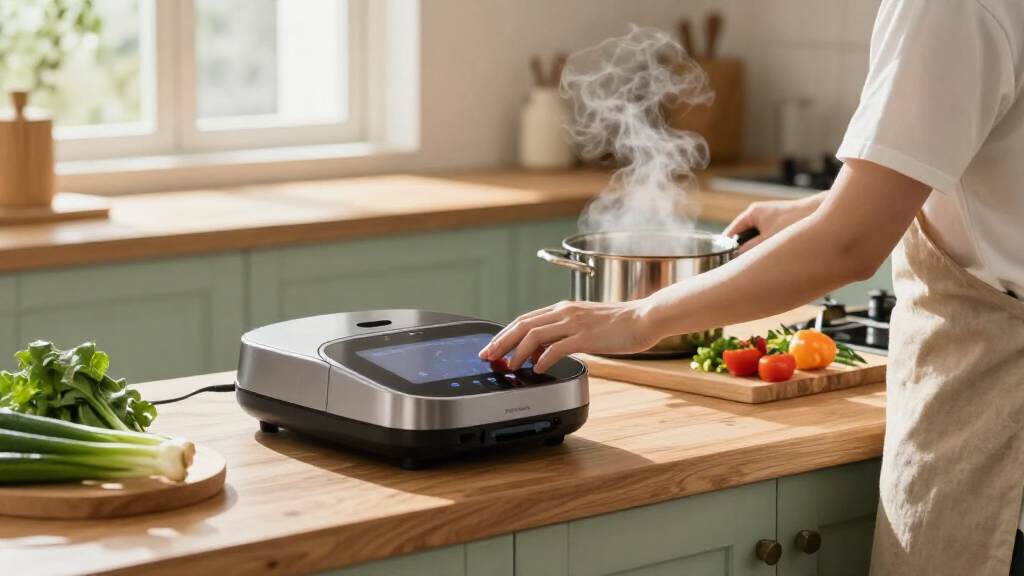

Choosing kitchen gadgets for a smart home comes down to how much you want appliances to communicate with your phone, voice assistant, or other devices. Connected smart kitchen gadgets can send alerts, save settings, and support remote control; standalone kitchen gadgets focus on the cooking task without relying on an app or network. The real tradeoff is extra convenience and coordination against higher prices, more setup, and dependence on software and Wi-Fi.

Get kitchen staples and gadgets delivered free with Prime
- Fast, free delivery on millions of items
- Prime Video, Amazon Music and more included
- Member-only deals all year

ThermoMaven Sub-1G Smart Wireless Meat Thermometer with Standalone Base
- ✔ Connectivity: Bluetooth, Sub-1G, Wi-Fi
- ✔ Sensors: 6 total: 5 internal, 1 external
- ✔ Accuracy: ±0.5°F, NIST certified

Amazon Echo Show 15 (2nd Gen), 15.6-inch Full HD Smart Display with Fire TV
- ✔ Display: 15.6-inch Full HD, 1920 × 1080
- ✔ Dimensions: 16.1 × 10.1 × 1.4 inches
- ✔ Weight: 4.96 lb
Connected models make more sense for people who will use scheduled routines, remote notifications, or voice control regularly. Standalone models are usually the better buy when reliable basic performance matters more than connected features. The comparisons below focus on the shared decisions that affect everyday use, including setup, reliability, privacy, and long-term value.
At a Glance
| Criteria | Connected smart kitchen gadgets | Standalone kitchen gadgets | Winner |
|---|---|---|---|
| Convenience and control | App control, alerts, saved settings, and sometimes voice commands | Direct buttons, dials, or mechanical controls | A |
| Cooking features | May add guided cooking, remote monitoring, or recipe-linked settings | Usually centers on essential cooking functions | A |
| Setup and daily use | Requires initial pairing and may need app updates or account setup | Ready to use with little or no digital setup | B |
| Reliability | Core functions may continue offline, but connected features can fail with network or software issues | No network or app dependency for normal operation | B |
| Smart-home integration | Can work with compatible assistants and routines; compatibility varies by brand | Does not join voice assistant routines or app-based home controls | A |
| Privacy and data | May collect usage or account data; policies differ by manufacturer | Typically involves less connected data collection | B |
| Cost and value | Usually costs more; value depends on regular use of connected features | Usually less expensive, with fewer features to maintain | Depends |
ThermoMaven Sub-1G Smart Wireless Meat Thermometer with Standalone Base
The ThermoMaven is the more directly kitchen-specific recommendation here. Its standalone base shows live temperatures and accepts target settings, so we can use it without keeping an app open or even reaching for a phone. That makes it a practical fit for roasting indoors or tending a grill outdoors, where checking a handset can be inconvenient. The Sub-1G link is specified for up to 3000 feet in unobstructed conditions, giving it a different advantage from Echo Show 15: it follows the cooking task instead of acting as a stationary household screen.Its six sensors and stated ±0.5°F accuracy are aimed at detailed temperature tracking, while the IPX8-rated probe is designed for water exposure and high heat. These features matter most when we want a more informed read on the food during a longer cook. Echo Show 15 can organize recipes, lists, and compatible devices, but it does not provide the thermometer’s direct probe readings. Conversely, the ThermoMaven is narrower: one external probe means one monitored item, and the replaceable C-cell battery adds upkeep. Wireless range claims describe unobstructed conditions, so walls and competing signals may change performance. Choose it for cooking feedback; skip it if what we need is a general-purpose smart display.
Pros:
- Standalone display base supports temperature checks and target setting without an app.
- Sub-1G wireless link is specified for long-range monitoring up to 3000 feet unobstructed.
- Six sensors and stated ±0.5°F accuracy provide detailed temperature readings.
- IPX8 waterproof probe suits cleanup and a range of indoor and outdoor cooking.
Cons:
- One external probe limits simultaneous monitoring to a single item.
- The base uses a replaceable C-cell battery that may need periodic replacement.
- Wireless performance can vary with obstacles and crowded signal environments.
Best for: Home cooks and grill users who want probe-based temperature monitoring, a readable base, and less dependence on a phone during cooking.
Not ideal for: Households seeking a broad smart home screen, or cooks who need to monitor several separate foods with multiple probes at once.
Bottom line: For connected cooking with useful on-device controls, the ThermoMaven is the strongest fit, provided one probe covers our needs.
“For connected cooking with useful on-device controls, the ThermoMaven is the strongest fit, provided one probe covers our needs.”
Amazon Echo Show 15 (2nd Gen), 15.6-inch Full HD Smart Display with Fire TV
Echo Show 15 makes most sense when we want the kitchen to serve as a shared information point. Its 15.6-inch Full HD screen can display household calendars and lists, control compatible smart home devices, and stream entertainment through Fire TV. It can be mounted in portrait or landscape orientation, giving us some flexibility in how it fits a kitchen wall. As a smart home hub, it supports Zigbee, Matter, and Thread, which gives it a broader device-control role than the ThermoMaven’s cooking-specific wireless connection.That breadth comes with a different kind of commitment. Echo Show 15 needs Wi-Fi for setup and a convenient powered location; its 4.96-pound body and sizable screen make placement part of the decision. Its camera supports video calls and has a physical shutter, with a separate mic and camera-off control, useful choices for a shared room. Compared with the thermometer, it is much more capable for organizing a household, but it does not measure food temperature. Some skills or services may involve subscriptions or additional fees, and certain Bluetooth speakers that require PIN codes are unsupported. Choose it when the kitchen needs a visible hub for people and compatible devices; skip it when the main goal is cooking precision or when wall space and Wi-Fi are limited.
Pros:
- Large Full HD display supports portrait and landscape placement.
- Built-in Fire TV combines kitchen organization with streaming entertainment.
- Smart home hub supports Zigbee, Matter, and Thread.
- Camera offers auto-framing and a physical shutter, with mic and camera-off controls.
Cons:
- Wi-Fi is required for setup, and the display needs a convenient powered location.
- Some skills and services may require subscriptions or additional fees.
- Bluetooth speakers that require PIN codes are not supported.
Best for: Households that want a shared kitchen display for lists, calendars, compatible smart home controls, video calls, and streaming.
Not ideal for: Cooks looking for food temperature monitoring, or people without a suitable powered location and reliable Wi-Fi for setup.
Bottom line: Echo Show 15 is the more versatile kitchen hub when shared organization and compatible device control matter more than direct cooking measurements.
“Echo Show 15 is the more versatile kitchen hub when shared organization and compatible device control matter more than direct cooking measurements.”
As an Amazon Associate we earn from qualifying purchases.
Key Differences
The largest practical difference is whether remote access and automation change your routine. A connected kettle, scale, thermometer, or multicooker can be useful when an alert lets you step away from the kitchen or when a saved setting removes repeated steps. These features do not automatically improve the food, though. For many tasks, a well-made standalone gadget performs the same basic job with less friction.
Standalone devices have an advantage in simplicity and independence. There is no pairing process, account, app support, or Wi-Fi signal to troubleshoot. Connected gadgets trade some of that simplicity for more control and coordination. Their value is strongest when several features work reliably together and you use them often; it is weak when connectivity is only a novelty or when the device still requires the same hands-on work.
Price should follow the feature you will actually use. Pay extra for connected controls when remote monitoring or automation solves a recurring problem. For occasional cooking, basic timing, or a gadget used by several people with different comfort levels, standalone controls are often the better value. Check whether core operation remains available without internet before buying a connected model.
Detailed Comparison
Convenience and control (Connected smart kitchen gadgets wins — moderate)
Connected gadgets win by allowing control and status checks from an app, and some accept voice commands or send alerts. This is a moderate advantage when you are away from the counter or managing several cooking tasks. Standalone gadgets keep controls immediately on the device, which can be faster for a simple start, stop, or adjustment.
Cooking features (Connected smart kitchen gadgets wins — moderate)
Connected models may include guided programs, recipe settings, temperature monitoring, and saved preferences. That is a moderate edge for people who use those tools. Standalone options often provide the essential function without guided modes, and the additional connectivity does not guarantee better cooking results. Compare the actual controls and performance rather than assuming an app makes a gadget more capable.
Setup and daily use (Standalone kitchen gadgets wins — major)
Standalone gadgets win clearly on setup: plug them in or add batteries and use the physical controls. Connected versions may require an app, account, pairing, permissions, and occasional updates. Once set up, they can be convenient, but this is a major difference for people who want a tool that works immediately or household members who do not want to use an app.
Reliability (Standalone kitchen gadgets wins — moderate)
Standalone gadgets have the advantage because normal operation does not depend on Wi-Fi, cloud services, or app support. The gap is moderate when connected models retain their core controls offline; it becomes major if the app is required for basic functions. Check what still works when the network is down, since implementation differs by product.
Smart-home integration (Connected smart kitchen gadgets wins — major)
Connected gadgets are the clear winner for voice assistants, remote notifications, and routines, provided the specific model supports the platforms you use. This is a major difference for a home already organized around automation. Standalone products cannot join those routines, but that limitation has little practical effect if you rarely use smart-home controls in the kitchen.
Privacy and data (Standalone kitchen gadgets wins — minor)
Standalone models generally have the edge because they usually require less account and usage data. This is a minor to moderate distinction for a basic gadget, but it matters more if an appliance tracks usage or links to a personal account. Connected products vary, so review their data settings and privacy policy before connecting them.
Cost and value (moderate difference)
Standalone gadgets usually cost less, making them the better value for basic, occasional use. Connected models can justify a premium when notifications, remote control, or automation save time repeatedly. The winner depends on use: if the app features go unused, the higher price buys little; if they solve a real routine problem, the premium may be worthwhile.
Connected smart kitchen gadgets: Pros and Cons
Pros:
- Remote status checks and alerts can reduce the need to stay beside the appliance.
- May support voice commands, saved programs, and smart-home routines.
- Can make repeated tasks easier through guided settings or automation.
Cons:
- Usually costs more than an equivalent basic gadget.
- Setup and some features depend on apps, accounts, network access, or software support.
- Connected features may involve collection of account or usage data.
Standalone kitchen gadgets: Pros and Cons
Pros:
- Usually lower cost and ready to use without pairing or account setup.
- Core operation does not depend on Wi-Fi or cloud services.
- Direct controls are easy to understand and share across a household.
Cons:
- Cannot provide app alerts, remote monitoring, or voice assistant routines.
- Often lacks guided programs and saved digital settings.
- Offers less coordination with other smart-home devices.
Who Should Choose What
Choose Connected smart kitchen gadgets if:
- You routinely step away while cooking and want remote alerts or monitoring.
- You already use compatible voice assistants or smart-home routines in the kitchen.
- You will use guided programs or saved settings often enough to justify a higher price.
Choose Standalone kitchen gadgets if:
- You want a reliable gadget that works without an app, account, or network.
- Your needs are basic and you would rather spend less than pay for features you may not use.
- Several people in your home need simple, direct controls.
Skip both if: Skip connected models if their core features require an app you do not want to use; skip standalone models if remote monitoring and automation are essential to your cooking routine. In either case, choose a different product category or model that meets the specific need.
Value for Money
For most households buying a single-use kitchen tool, standalone gadgets are the stronger value because they cover the core task at a lower price and avoid ongoing software dependencies. Paying more for connected control is worthwhile when it addresses a repeated inconvenience, such as monitoring a long cook from another room or coordinating devices through a routine you already use. Before paying the premium, confirm that the feature works with your phone or assistant and that the gadget remains usable if the app or network is unavailable.
Final Verdict
Choose standalone kitchen gadgets for the best mix of price, simplicity, and dependable everyday use. They are the sensible default when the job is straightforward and you do not need remote access. Choose connected smart kitchen gadgets when you will regularly use alerts, app controls, guided settings, or compatible home automation; those features can earn their higher cost for a connected-home user. The deciding factor is not whether a gadget has an app, but whether its connected functions solve a problem you encounter often.
Frequently Asked Questions
Are smart kitchen gadgets worth the extra cost?
They are worth more when remote monitoring, alerts, or automation save time repeatedly. If you mainly need the basic cooking function, a standalone gadget is usually better value.
Do connected kitchen gadgets work without Wi-Fi?
It depends on the model. Some retain their physical controls and basic operation offline, while app features and remote alerts may stop working. Check the product details for offline behavior before buying.
Which type is easier for a household to share?
Standalone gadgets are generally easier to share because their controls are on the device and do not require each person to install an app or use an account. Connected models work well for a household that already shares compatible apps and routines.
Should I replace working kitchen gadgets with smart versions?
Usually not unless a connected feature solves a specific recurring problem. Replacing a working gadget just to add app control is hard to justify when the core task and result remain the same.