

TL;DR
A local-first system can turn a single video into a full suite of marketing and publishing materials. It automates asset creation, reduces manual work, and keeps everything on your machine, not the cloud.
Most creators spend more time repackaging their content than actually making it. After finishing a video, the real work begins: crafting titles, descriptions, thumbnails, snippets, blog drafts, social posts, and more. You can learn more about creating efficient workflows to streamline this process. It’s a repetitive grind, often done manually and scattered across tools and platforms.
Imagine if you could press one button, and your video transformed into a ready-to-publish kit — all on your own machine. No cloud, no external dependencies, just fast, controlled, and customizable assets. That’s what a local-first system promises to deliver. This approach shifts the game from manual repurposing to automated, structured workflows that save hours and keep your work private.
Key Takeaways
- A local system can analyze a video’s audio and visuals to automatically generate a full suite of assets for multiple platforms.
- Review and editing are faster when all assets are visible in one dashboard, with provenance tracking for transparency.
- Generating multi-format, multi-platform assets from a single source reduces manual effort and keeps everything under your control.
- Offline workflows require manual backups and sharing but offer greater privacy and security.
- Choosing a non-cloud approach is a tradeoff: more control and privacy, but less convenience and instant collaboration.
![WavePad Audio Editing Software - Professional Audio and Music Editor for Anyone [Download]](https://m.media-amazon.com/images/I/B1fcLEGCs6S._SL500_.png)
WavePad Audio Editing Software – Professional Audio and Music Editor for Anyone [Download]
- Professional audio editing: Record and edit music, voice, and audio
- Audio effects: Add echo, noise reduction, reverb, and more
- Wide format support: Supports WAV, MP3, FLAC, OGG, and others
As an affiliate, we earn on qualifying purchases.
As an affiliate, we earn on qualifying purchases.
How a Local System Turns One Video into Dozens of Assets
Think of a system that analyzes your video on four layers: speech, visuals, scene changes, and on-screen text. It then creates a detailed map of what’s actually in your video — not just a transcript, but a layered understanding that guides every asset. You can explore more about layered video analysis techniques.
For example, you upload a 10-minute interview. The system transcribes speech with speaker labels, detects scene shifts, reads on-screen graphics, and fuses it all into a timeline. From this, it automatically drafts a catchy title, short clip highlights, social media posts, and even a blog outline.
Why this layered analysis matters is because it allows the system to understand the content contextually. Instead of generating generic clips or titles, it creates assets that are aligned with the actual content and message, reducing the need for manual editing later. This comprehensive understanding enables more accurate, relevant, and engaging outputs, which can significantly cut down production time and improve content quality. However, it also involves tradeoffs: more complex analysis requires more processing power and sophisticated algorithms, which might increase initial setup complexity but ultimately results in higher-quality assets that better serve your strategic goals.


Adobe Bridge 2026 User Guide: The Complete Step-by-Step Masterclass to Digital Asset Management, Seamless Creative Cloud Integration, and Supercharging Your Workflow
As an affiliate, we earn on qualifying purchases.
As an affiliate, we earn on qualifying purchases.
The Four Steps to Creating a Publishing Kit Without the Cloud
- Drop or Link: Upload your video or paste a URL. The system recognizes the channel and begins analyzing immediately.
- Understand: Background workers transcribe, analyze visuals, align data, and generate a structured overview.
- Review & Edit: Preview all assets — titles, clips, descriptions, social posts — and tweak as needed. They appear as they are being built.
- Dispatch: Approve the final set and push everything to your platforms — YouTube, Instagram, TikTok, or your website — all from your local machine.
This streamlined approach minimizes waiting and maximizes control.
By breaking down the process into these stages, creators gain clarity and confidence in each step, ensuring the final assets align precisely with their vision. The review phase, in particular, becomes a crucial checkpoint where manual adjustments can refine the generated outputs, balancing automation with creative oversight. The major implication here is that you retain full control over the quality and timing of each piece, without being dependent on cloud services that might introduce delays or privacy concerns. While this approach requires initial setup and familiarity with local tools, it ultimately offers a more reliable, secure, and customizable workflow, especially vital for sensitive or proprietary content.


Dictation Depot LLC Express Scribe Transcription Kit – Professional Software, Heavy Duty Infinity IN-USB-3 Foot Pedal, Spectra FLX-10 Headset – 16GB Memory, USB Interface
- Foot Pedal Type: Three-button USB foot pedal
- Device Quality: High quality ergonomic design
- Cord Length: 10-foot cord
As an affiliate, we earn on qualifying purchases.
As an affiliate, we earn on qualifying purchases.
Why a Publishing Package Is Better Than Just a Video
Creating a single video is the start. A publishing package bundles everything needed to launch and promote — from tailored titles, descriptions, thumbnails, to social posts and snippets. It’s a one-stop shop that saves you from manual reformatting or hunting down assets. Learn more about building effective publishing packages.
But beyond convenience, this approach allows you to strategize content distribution more effectively. For example, you can tailor snippets for different audiences or platforms, ensuring each asset is optimized for its specific context. This multi-format, multi-channel readiness means you can respond quickly to trends or opportunities, maintaining consistency across your brand. It also reduces the risk of errors or mismatched messaging, as all assets originate from a single analysis, ensuring coherence. Platforms like ChannelHelm centralize these assets, turning a raw video into a multi-format, multi-channel launch kit in minutes, which enhances your ability to scale content efforts efficiently while preserving full control over the assets and their deployment timing.


Nero Video Maker | Video Editing Software | Create & Edit Videos & Slideshows | 8K, 4K, Full HD | AI-Powered | Lifetime License | 1 PC | Windows 11/10/8/7
- Video Creation and Export: Create, edit, and export videos in HD, 4K, 8K
- Multi-Track Editing & AI Tools: Edit multiple tracks with AI media management
- Templates & Effects: Over 1000 templates, filters, and animations
As an affiliate, we earn on qualifying purchases.
As an affiliate, we earn on qualifying purchases.
How to Review and Refine Your Assets Without Cloud Hassles
Review is king. A good local system offers a dashboard with multiple views: a quick overview, detailed asset comparison, and progress tracking. You can see which parts are ready, which need edits, and where each asset stands in the pipeline. For more on managing assets efficiently, visit The Culinary Gene.
But more than just seeing status, this review process allows you to catch inconsistencies, correct errors, and ensure brand alignment before publishing. For example, if the system generates a headline that feels off, you can tweak it directly in the dashboard, regenerate just that element, and see the update immediately. This iterative process helps maintain high quality and relevance without the delays or privacy concerns associated with cloud-based editing. Additionally, provenance tracking—knowing exactly which model, prompt, or version produced each asset—ensures transparency and accountability. This local management of assets and their origins empowers creators to maintain strict control over their content pipeline, making revisions and audits straightforward and secure. The key takeaway is that such detailed oversight enhances trust and reduces the risk of publishing errors, especially when managing large volumes of content or sensitive material.

Multiple Platforms, One Package — No Cloud Required
A key benefit of local workflows: generating every asset for every platform from one source. You get high-res versions for YouTube, lower-res snippets for social media, and even print-ready graphics — all from a single analysis.
This flexibility enables content creators to adapt quickly to different distribution channels without redundant work. For instance, a marketing team preparing a product launch can produce: a YouTube title and description, Instagram stories, Twitter threads, LinkedIn articles, and press-ready images. All are bundled in one package, ready to deploy without cloud uploads or external tools. This not only accelerates the launch process but also ensures consistency across platforms, since all assets are derived from a single, authoritative source. Moreover, the security benefits are significant: since files stay on your machine, sensitive data remains private, and you avoid exposure risks associated with cloud sharing. This approach supports a more deliberate, privacy-conscious content strategy that can adapt to evolving distribution needs while maintaining full control over the entire asset lifecycle.

What About Versioning, Backups, and Collaboration Without the Cloud?
Going offline doesn’t mean losing control over your work. A local system keeps all versions, edits, and backups on your machine. You decide when and how to save or share assets. Collaboration is just a matter of sharing folders or project files.
This means you can implement version control practices similar to software development—saving incremental changes, tagging significant milestones, and reverting to previous states if needed. For teams, this approach fosters a disciplined workflow where each contributor works independently, then consolidates changes without the confusion or delays of cloud syncing. Manual backups—copying project folders or using external drives—become part of your routine, which, while requiring discipline, grants you complete oversight. This setup is especially appealing for users concerned about privacy, data sovereignty, or unreliable internet connections. It enables a secure, transparent, and customizable collaboration environment, where content is managed directly on local storage without external dependencies, reducing risks associated with data breaches or cloud outages.
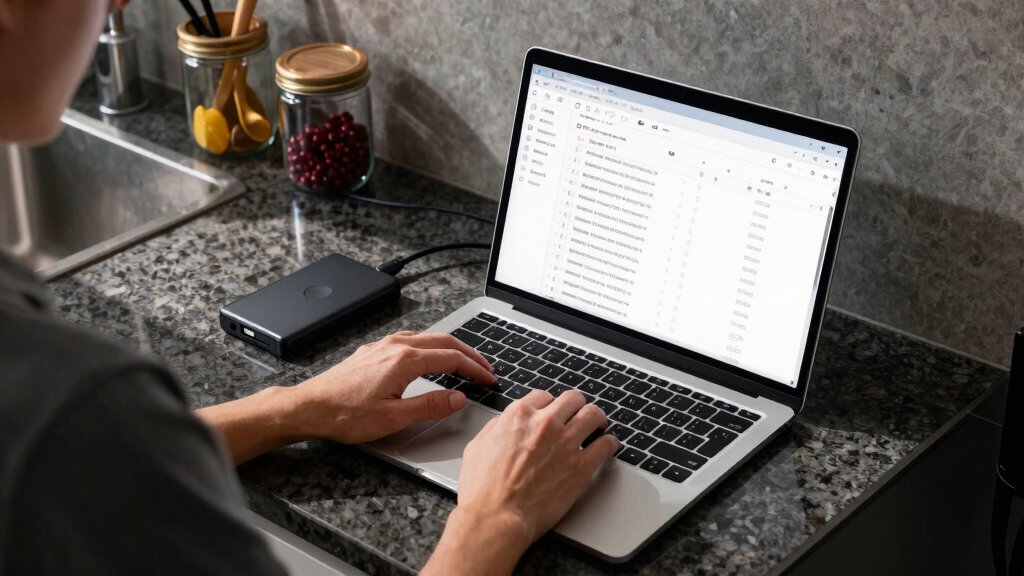
Tradeoffs: What Do You Sacrifice Without the Cloud?
Choosing local over cloud means giving up some conveniences. Cloud platforms often offer instant backups, seamless collaboration, and easy scalability. When you go offline, you need to manage backups manually, and sharing assets requires more effort.
For example, syncing a project across devices becomes a manual process: copying folders or using external drives. You lose the real-time collaboration features of cloud apps, but gain privacy and control. This tradeoff can impact workflows that rely heavily on instant feedback or multi-user editing, which are more streamlined in cloud environments. However, for creators prioritizing data security, ownership, and independence, these sacrifices are often justified. It encourages a more deliberate, disciplined approach to content management, where each step is intentional and controlled, reducing the risk of unintended leaks or data loss due to external server issues. Ultimately, this tradeoff emphasizes the importance of planning your backup and collaboration strategies to match your specific needs and resources.

The Future of Independent Publishing and Content Creation
More creators want to own their work completely — no third-party servers, no external dependencies. Local-first tools support this shift, making it easier to produce, review, and publish from your own setup.
Imagine a world where launching a campaign or a book is as simple as clicking a button, with everything stored securely on your machine. That’s the promise of systems like ChannelHelm.
As AI and automation continue to evolve, creating a fully offline, integrated publishing workflow isn’t just a dream — it’s becoming a smart choice for many. This shift aligns with broader trends towards data sovereignty, privacy, and creator independence, signaling a future where control over your content is paramount and technology adapts to your needs, not the other way around.
Frequently Asked Questions
What exactly comes out of one video?
From a single video, a local system can generate titles, descriptions, social snippets, clips, thumbnails, blog drafts, and more. It creates a complete publishing package tailored for each platform.
Is this for authors, publishers, marketers, or all three?
It’s useful for all. Indie creators, small publishers, marketing teams, and even educational institutions benefit from automating content repurposing while keeping control over their assets.
How does it work without cloud infrastructure?
The entire process is handled locally on your machine. Assets are generated, reviewed, and stored in folders—no external servers or cloud dependency needed. You control backups and sharing manually, just like with any file system.
What file formats and outputs are supported?
Outputs include high- and low-resolution videos, images, text files, and compressed packages suitable for web, print, or social media. The system adapts to your needs, all stored locally.
Can it generate assets for multiple platforms automatically?
Yes. From one source video, you can produce tailored assets for YouTube, TikTok, Instagram, LinkedIn, and more — all in one package, ready to deploy without external tools.
Conclusion
Building a publishing kit from one video without the cloud isn’t just possible — it’s smarter for control, privacy, and speed. With the right tools, you turn content into assets in minutes, not hours, all while keeping everything on your machine.
Imagine the freedom of managing your entire content launch in your own space. That’s the future of independent publishing — simple, fast, and entirely your own. Are you ready to take control?