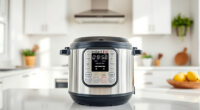
Cosori air fryers are popular for their versatility and advanced features like smart control and precise heating. However, like all appliances, they can display error codes indicating issues that need troubleshooting. Recognizing these codes and understanding their causes can save you time and prevent unnecessary repairs.
This guide walks you through common COSORI error codes, their possible causes, and safe, effective solutions. Whether your fryer isn’t starting, shows a specific code, or behaves unexpectedly, you’ll find clear, actionable steps to resolve the problem quickly.
Key Takeaways
| Understanding error codes | Error codes indicate specific issues requiring targeted solutions. |
| Basic troubleshooting | Most errors can be fixed by resetting, cleaning, or checking connections. |
| Safety first | Always unplug the air fryer before performing maintenance or troubleshooting. |
| When to seek help | Persistent errors may require professional repair or replacement. |

Cosori TurboBlaze Smart Air Fryer 6 Qt, Shake Reminders, 9-in-1, Cream
- TurboBlaze Technology: Powerful 3600 rpm fan and high temperatures
- Even Cooking System: 5-fan system with precise temperature control
- Smart Control: Remote control via smartphone with recipes
As an affiliate, we earn on qualifying purchases.
Common COSORI Error Codes and Their Causes
COSORI air fryers display various error codes to alert you to specific problems. Understanding what these codes mean is the first step toward fixing them. Some common error codes include E1, E2, E3, and E4, each pointing to different issues like sensor failures, overheating, or electrical glitches.
For example, an E1 error often indicates a temperature sensor malfunction, while E2 may signal overheating or a problem with the heating element. E3 and E4 are typically related to communication errors or motor issues. Identifying your specific error code allows you to target the troubleshooting process effectively.

ALJ 3PCS Air Fryer Oven Mesh Rack for COSORI 10QT Air Fryer Toaster Oven, Premium Dehydrator Rack Shelf Grid Grill Pan Crisper Cooking Plate Tray Insert Grate for COSORI 13QT Oven, Dishwasher Safe
- Compatible Models: Fits COSORI 10QT and 13QT Air Fryers
- Food Grade Material: Made of FDA-approved stainless steel
- Healthy & Safe: BPA-free, non-toxic, tasteless
As an affiliate, we earn on qualifying purchases.
Step-by-Step Fixes for Common Error Codes
- Unplug and Reset: Always disconnect the air fryer from power. Wait for 5-10 minutes to reset the internal electronics, then plug it back in and restart.
- Inspect and Clean Sensors: If your error code indicates sensor issues (like E1), open the fryer and gently clean the temperature sensors with a soft, dry cloth. Ensure no debris or grease obstructs sensor readings.
- Check for Overheating: For errors related to overheating (E2), ensure the fryer is placed in a well-ventilated area. Remove any accumulated grease or food residues that could trap heat. Let the unit cool down before restarting.
- Examine Electrical Connections: For communication or motor errors (E3, E4), check the power cord and internal wiring for loose or damaged connections. Avoid using the fryer if you notice frayed wires or burnt smells.
- Update Firmware: If your model supports app control, ensure the firmware is up-to-date through the connected app, as updates can fix bugs causing error codes.
Safety Tips and Precautions During Troubleshooting
- Always Unplug First: Disconnect the air fryer from power before inspecting or cleaning to avoid electrical shock.
- Use Non-Abrasive Tools: When cleaning sensors or internal components, use soft cloths or brushes to prevent damage.
- Avoid Water Contact: Never immerse the appliance or its electrical parts in water. Use a damp cloth for cleaning exterior parts.
- Handle Components Carefully: Internal sensors and wiring are delicate. Handle with care to prevent further damage.
- Seek Professional Help: If you’re unsure or uncomfortable with any step, contact COSORI customer support or a qualified technician.
Preventing Future Error Codes and Maintenance Tips
Regular cleaning and maintenance significantly reduce the risk of error codes. Always clean the interior, sensors, and heating elements after each use, especially if the fryer produces smoke or has a strong odor during operation. Use appropriate accessories, like the ALJ 3PCS Air Fryer Oven Mesh Rack, to improve airflow and prevent residue buildup.
Ensure the unit is placed in a cool, dry area, and avoid overloading the basket, which can strain the motor and sensors. Keep firmware updated if your model connects via an app, and periodically inspect the power cord for damage.
By following these simple practices, you can extend the lifespan of your COSORI air fryer and minimize error occurrences.
The Products in This Guide

Cosori 9-in-1 TurboBlaze Air Fryer 6 Qt
- ✔ Model: B0G4RV4MVD
- ✔ Warranty: 1-year limited
- ✔ Included Accessories: Recipe book, basket, accessories

ALJ 3PCS Air Fryer Oven Mesh Rack
- ✔ Number of Pieces: 3
- ✔ Compatibility: COSORI 10QT/13QT models
- ✔ Temperature Resistance: Up to 450°F
Cosori 9-in-1 TurboBlaze Air Fryer 6 Qt
The COSORI 9-in-1 TurboBlaze Air Fryer offers powerful performance with its innovative TurboBlaze technology. Despite occasional error codes, most issues are straightforward to resolve with proper troubleshooting. Its precise heating and smart controls make it a favorite among home cooks.
Pros:
- Powerful TurboBlaze technology for even cooking
- Smart control with app connectivity
- Versatile with 9 cooking functions
- Precise temperature control up to 450°F
Cons:
- Error codes can be confusing for new users
- Requires regular cleaning to prevent issues
- Some users report occasional sensor errors
Best for: Users seeking a versatile, high-performance air fryer with smart features
Not ideal for: Those uncomfortable with troubleshooting or DIY repairs
Bottom line: A powerful, feature-rich air fryer that is manageable with proper troubleshooting.
ALJ 3PCS Air Fryer Oven Mesh Rack
The ALJ 3PCS Air Fryer Oven Mesh Rack enhances your cooking experience by improving airflow and crispiness. Its durable stainless steel design and dishwasher-safe convenience make it a valuable addition to your kitchen arsenal, especially for troubleshooting or expanding your cooking options.
Pros:
- Improves air circulation for even cooking
- Made from food-grade stainless steel
- Easy to clean and dishwasher safe
- Fits COSORI 10QT and 13QT models
Cons:
- Adds some height to the basket
- Requires extra space in the oven
- Not compatible with smaller fryers
Best for: Adding versatility and better airflow in your air fryer
Not ideal for: Users with very limited kitchen space or smaller models
Bottom line: A practical upgrade to ensure crispy, evenly cooked meals.
Frequently Asked Questions
What does an error code on my COSORI air fryer mean?
Error codes indicate specific issues such as sensor failure, overheating, or electrical problems. Refer to the manual or troubleshooting steps for each code.
How do I reset my COSORI air fryer after an error?
Unplug the unit, wait 5-10 minutes, then plug it back in. This often resets the electronics and clears temporary errors.
Can I clean my sensors or internal parts myself?
Yes, gently clean sensors with a soft, dry cloth, avoiding water contact. Ensure no debris obstructs sensors for accurate readings.
When should I contact COSORI customer support?
If error codes persist after troubleshooting, or if you notice electrical issues, strange smells, or physical damage, contact support for professional help.
Are firmware updates necessary?
If your model supports app control, check for firmware updates via the app to fix bugs and improve performance.
Keeping Your COSORI Air Fryer Error-Free and Efficient
With proper understanding and routine maintenance, your COSORI air fryer can deliver consistent, delicious results. Troubleshooting error codes is often straightforward—just follow the safe steps outlined above. Regular cleaning, cautious handling, and timely updates will extend your appliance’s lifespan and reduce downtime.
Remember, most issues can be resolved at home. However, don’t hesitate to seek professional help if errors persist or you’re unsure about repairs. Your air fryer is a valuable kitchen helper, and with a bit of care, it will serve you well for years to come.
Affiliate disclosure: As an Amazon Associate we earn from qualifying purchases. Prices and availability are accurate as of the time of publishing.